
Every calendar in one month view
Google Calendar, iCloud, Outlook or any iCal link. Each calendar keeps its colour, and events get a matching emoji by themselves: football, the dentist, flights, dinners.

Open source family wall calendar
Marco puts the family calendar, the weather, birthdays and your photos on one calm screen in the kitchen or the hall. Run it on your own server, a mini PC, a NAS or a Raspberry Pi, and your data stays with you. Or let us host it with Marco Cloud.

Who has football, when the dentist is, whose birthday is on Sunday and whether to take a coat. Marco keeps it on the wall, so nobody has to ask or open an app.
The display
It all comes from the calendars and feeds you already use. This is what the screen shows.
Google Calendar, iCloud, Outlook or any iCal link. Each calendar keeps its colour, and events get a matching emoji by themselves: football, the dentist, flights, dinners.
Airbnb and Booking calendars show up as bars from check-in to check-out, with small icons for the guests. Arrivals and departures also appear next to the clock.

"The washing machine is done." A full-screen card with a chime, sent from Home Assistant, a script or your phone. Reminders like "Take out the bins" can repeat every Tuesday and Friday.

A ticker from any RSS or Atom feed, countdowns to the dates that matter, a to-do list and a message of the day.

With Open-Meteo or Home Assistant, the screen follows the sky outside: drops on the glass, falling snow or a warm sun. This one runs live in your browser.
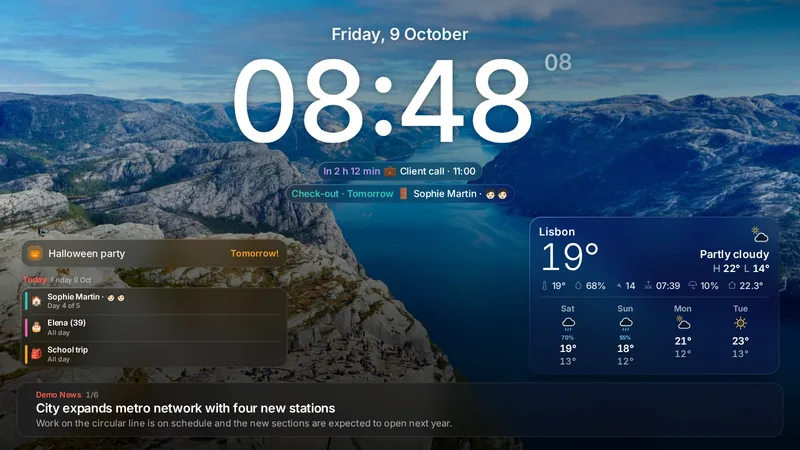
"Today: Elena (39)", "In 2 h 12 min: client call", "Halloween party tomorrow". The important things sit next to the clock.

Current conditions, hourly and five days ahead from Open-Meteo, or from your Home Assistant sensors. When it rains outside, it rains on the screen.

Your own gallery or stock photos. Smart cropping keeps faces and pets clear of the clock and the weather, with a slow zoom and soft transitions.

Put one in the living room and one in the kitchen. Each screen has its own layout, theme, photos and calendars, and you can reload, identify or dim any of them from your phone.

Screens are private by default. Open the screen's private link, or type the code a new TV shows into your phone. You can revoke a device at any time.

Two styles
Each screen picks its own look, and it works with any layout. New screens start in Modern. You can switch in the admin, under Layout.
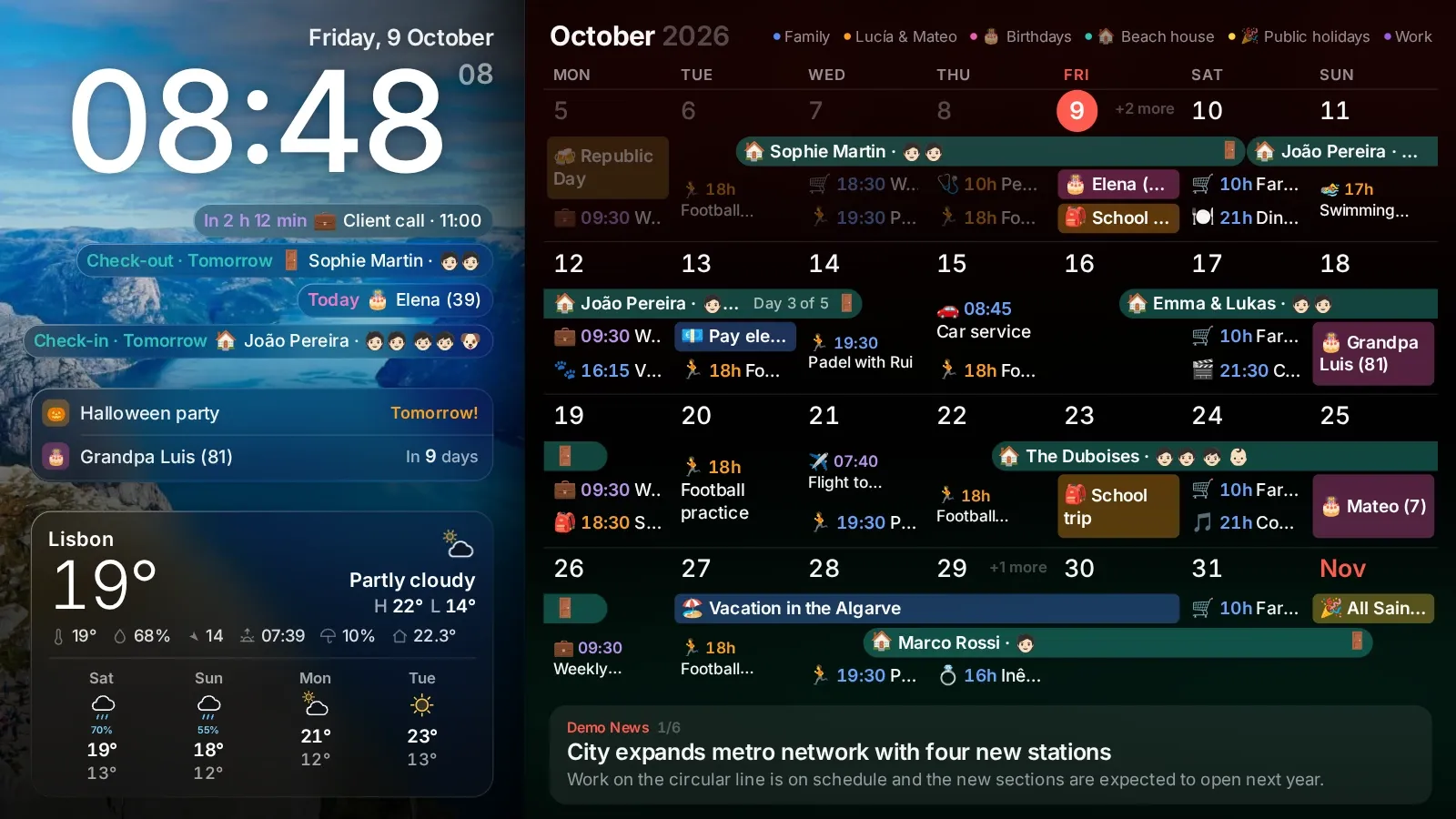
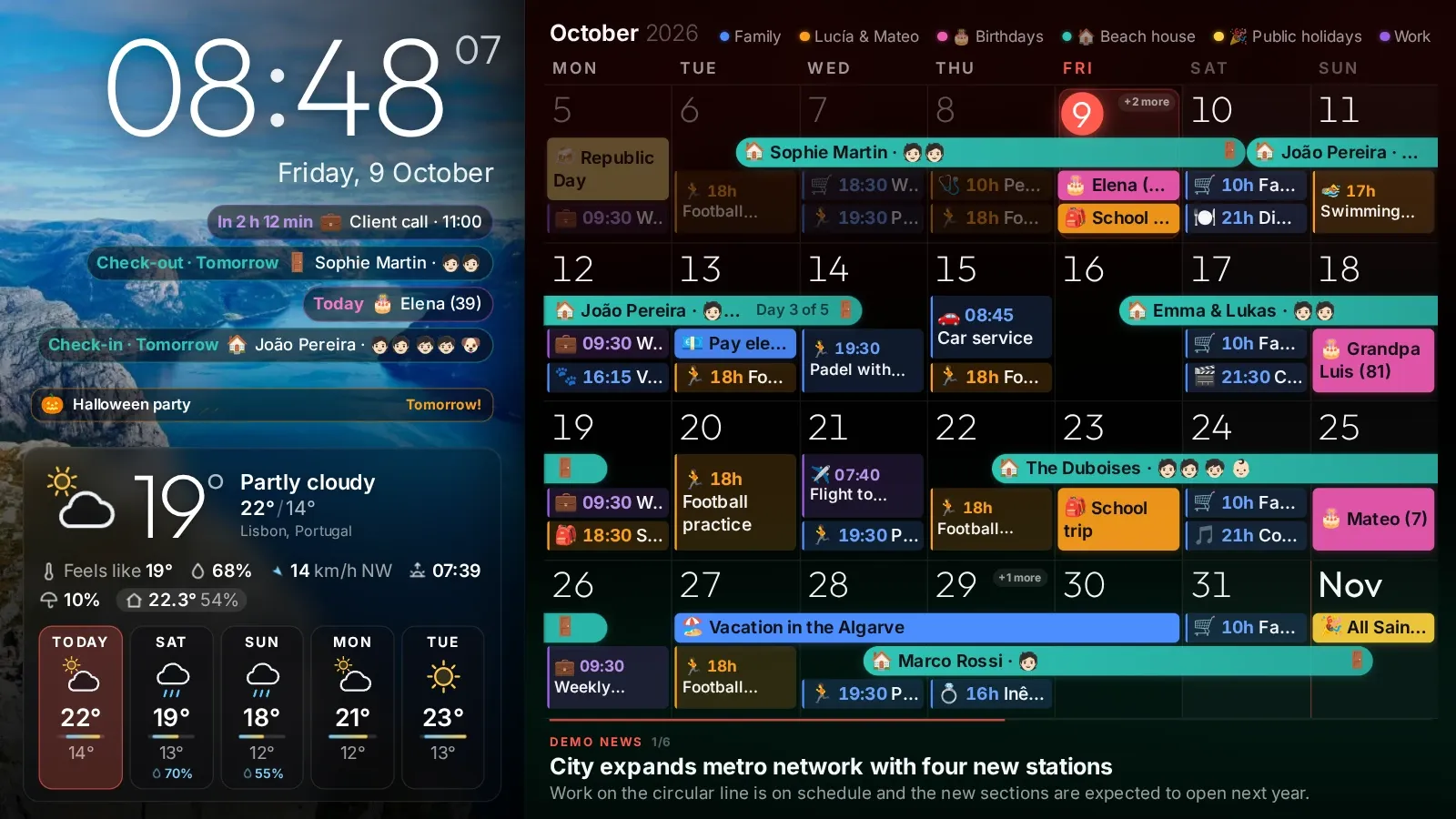
In Modern, the cards are made of glass, and you decide how it looks.
Layouts
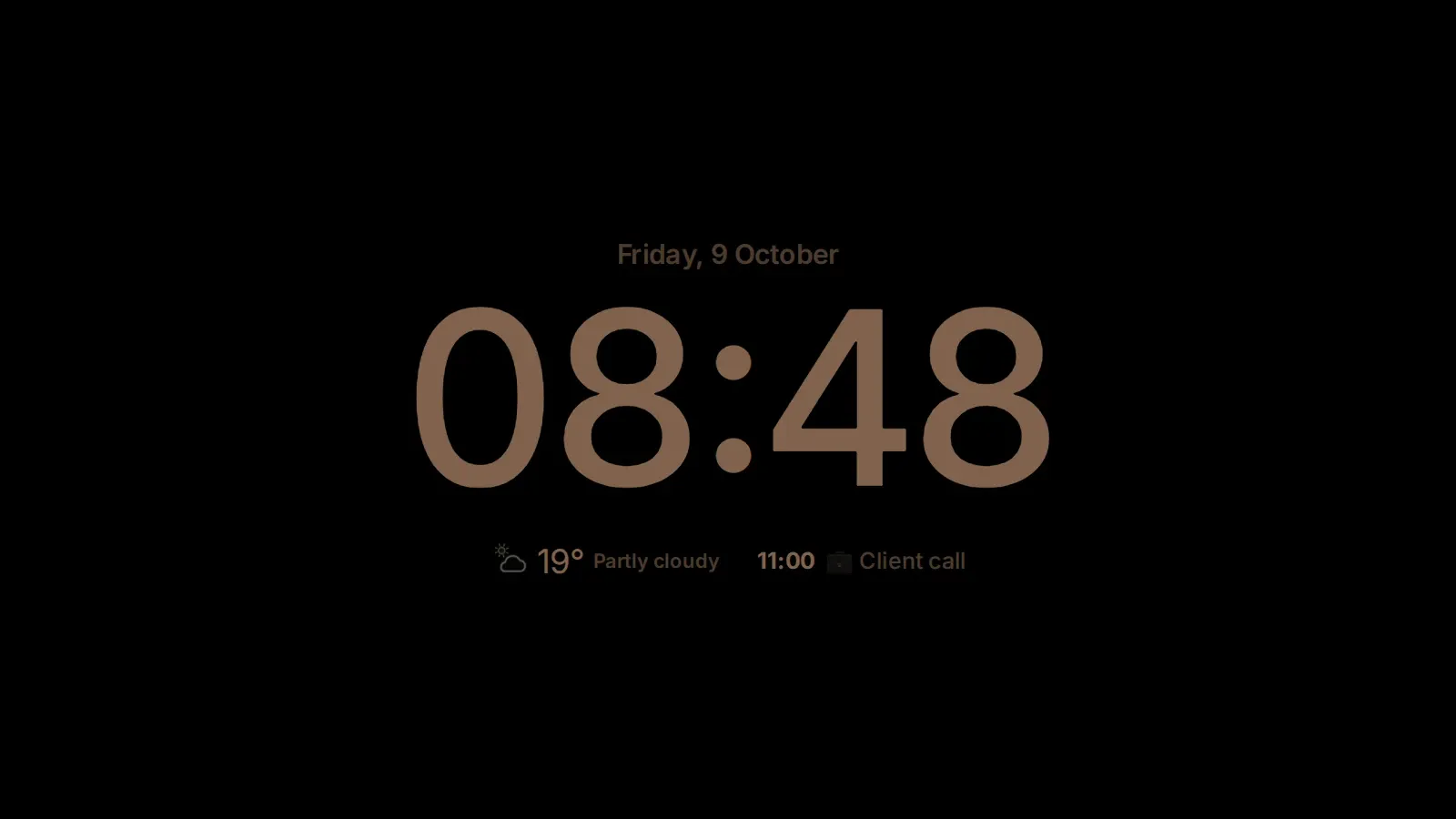
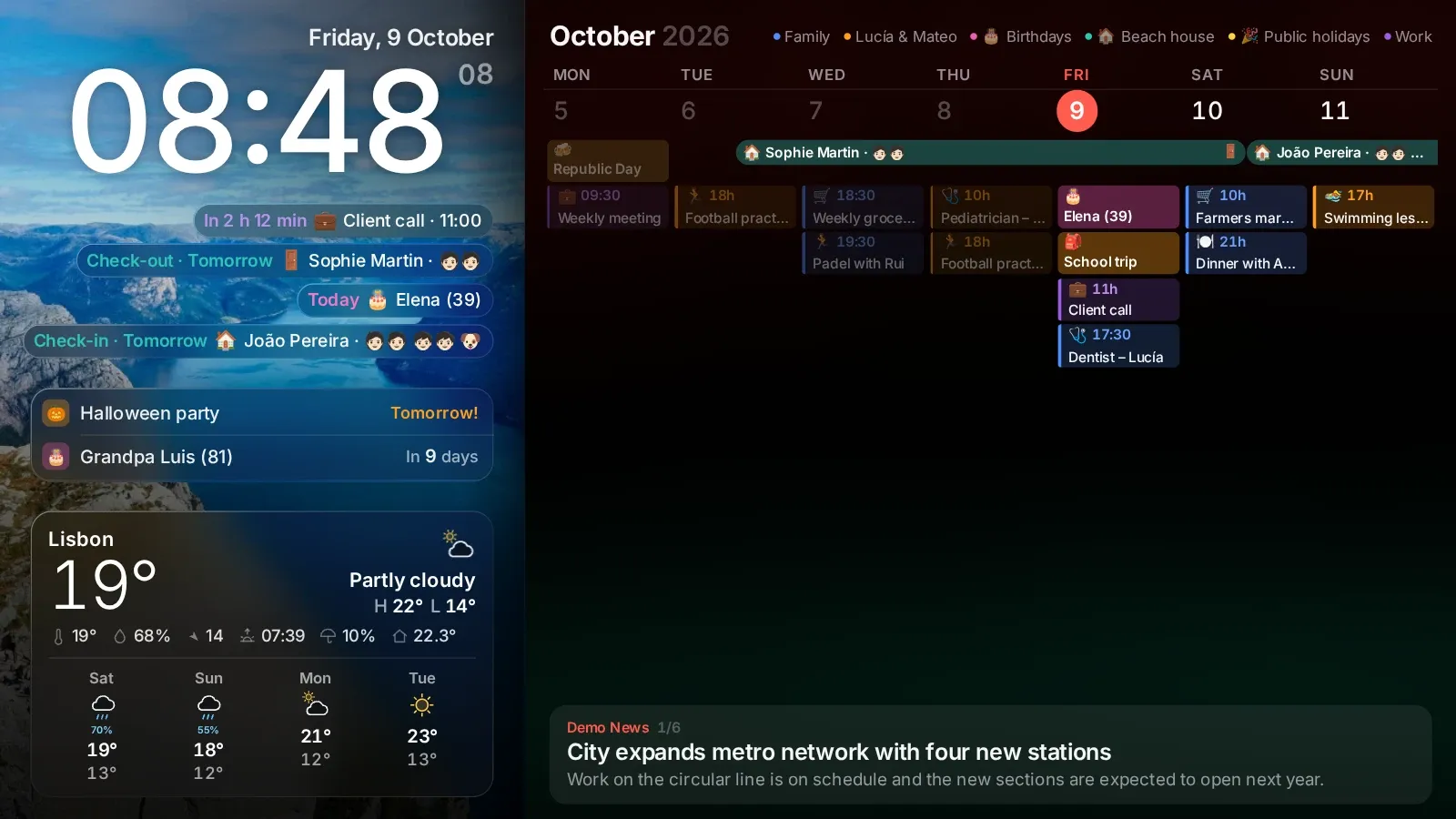
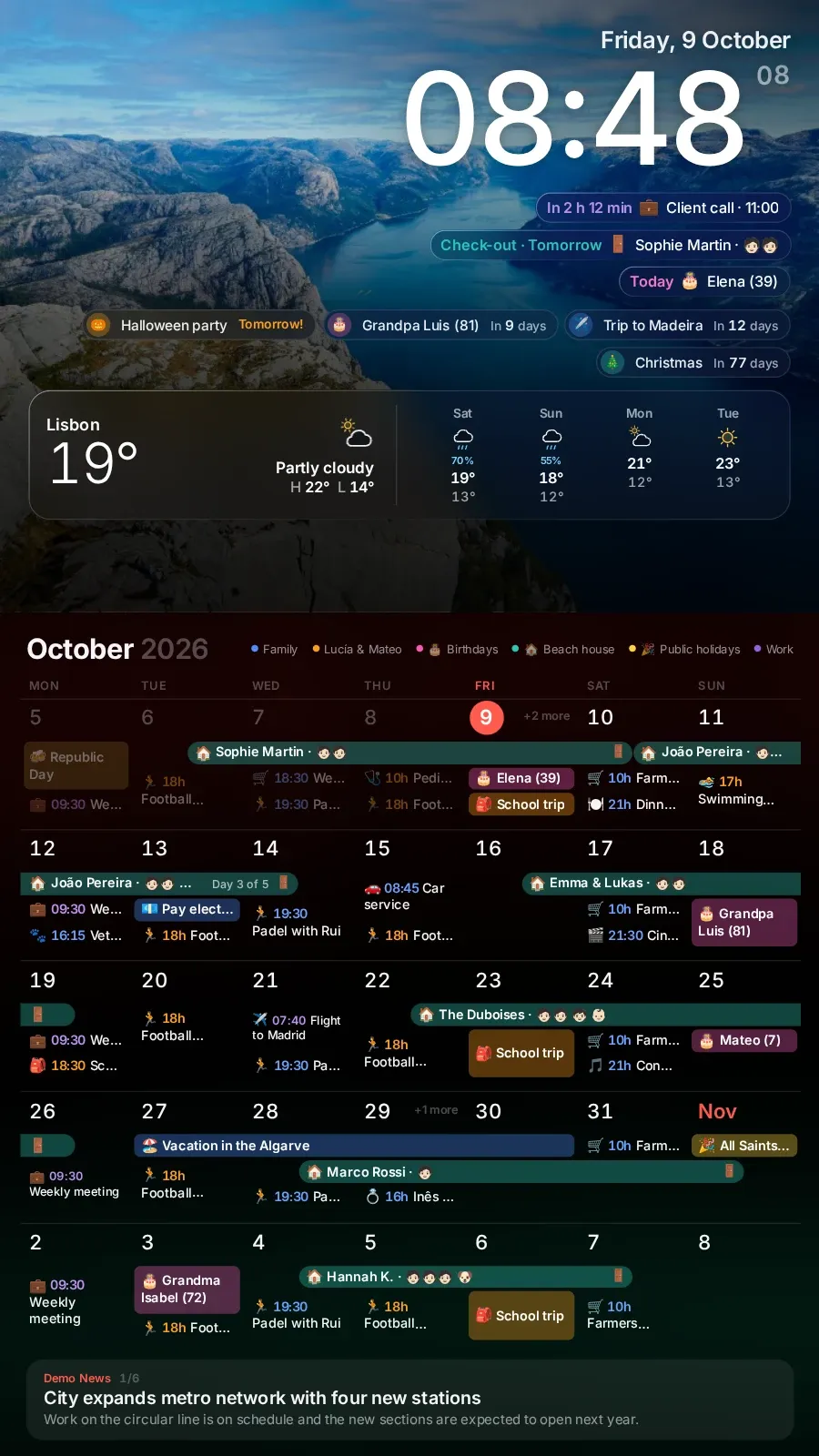
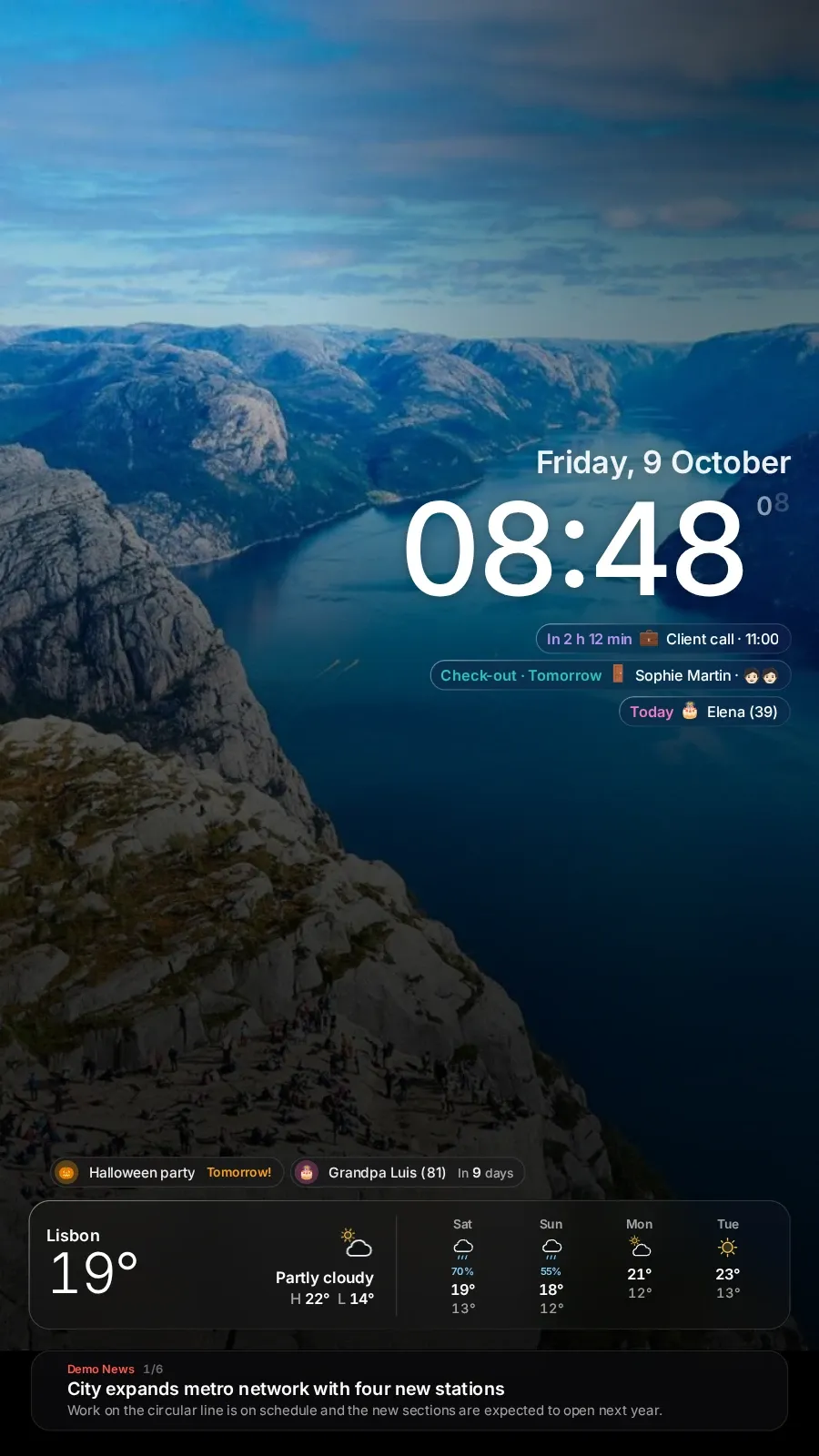
Eleven layouts, from the big family month to a dim clock for the bedroom. Each one works in landscape or portrait, with a dark or light theme, and the calendar can switch to a week view.
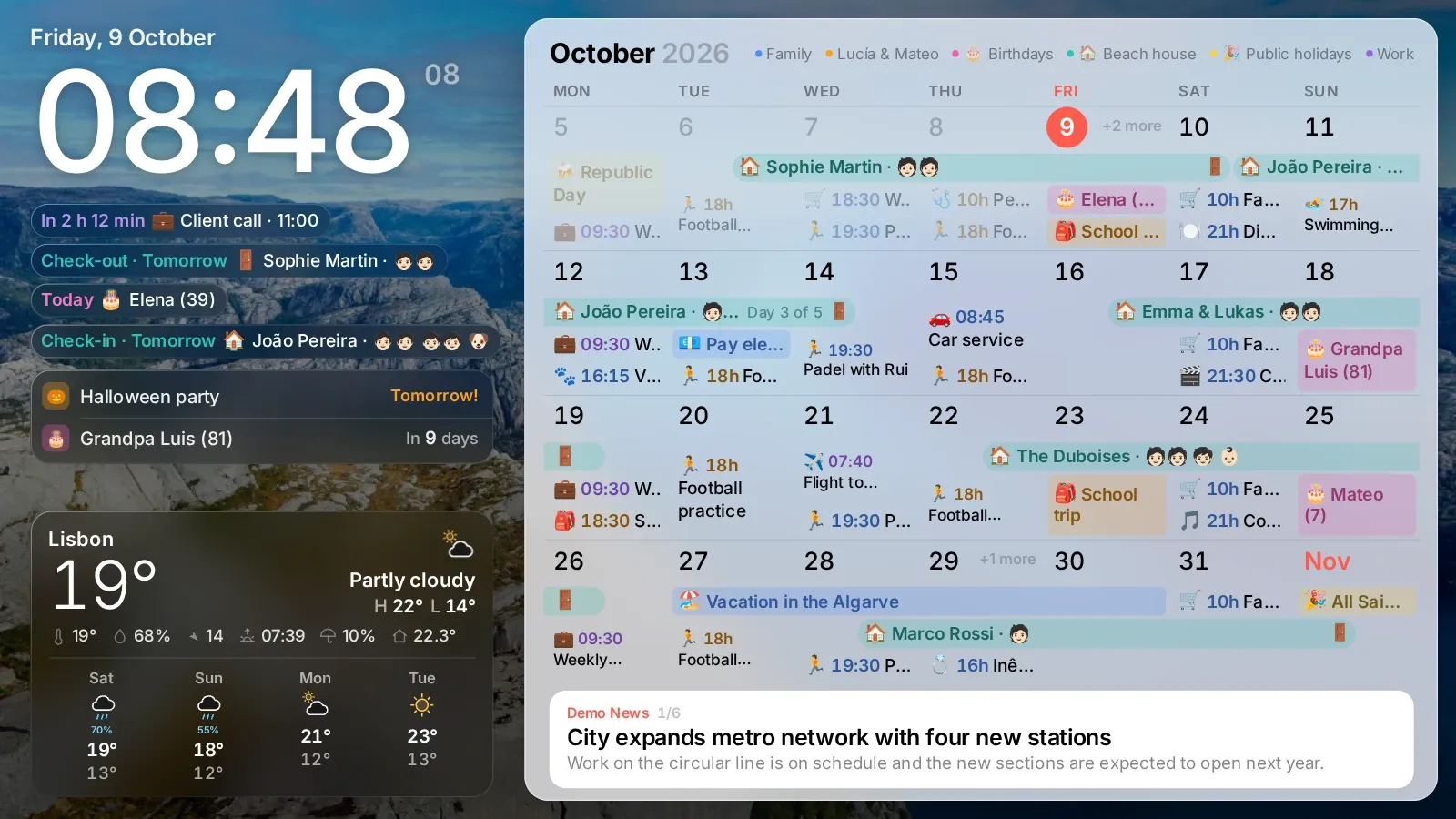
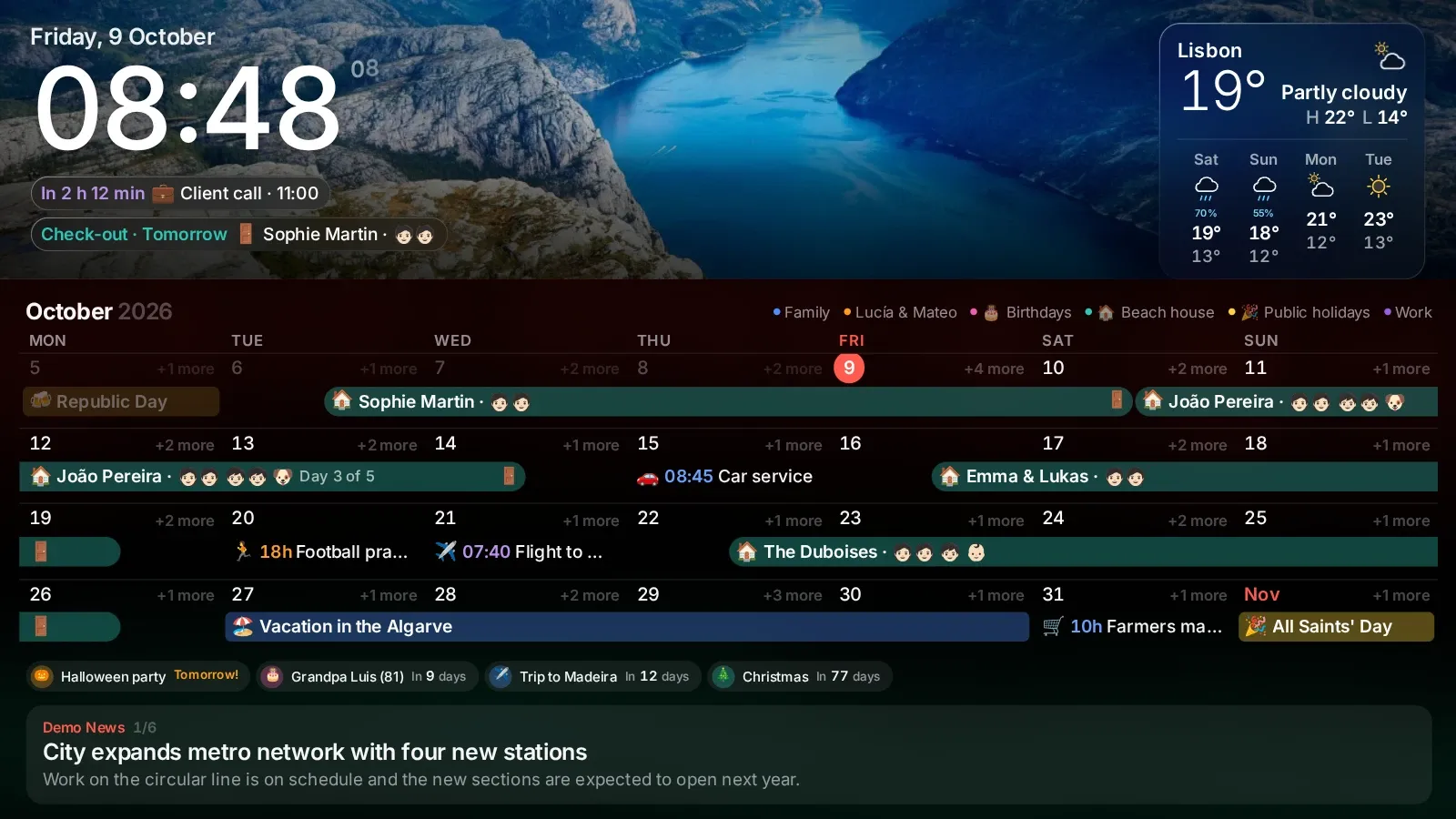
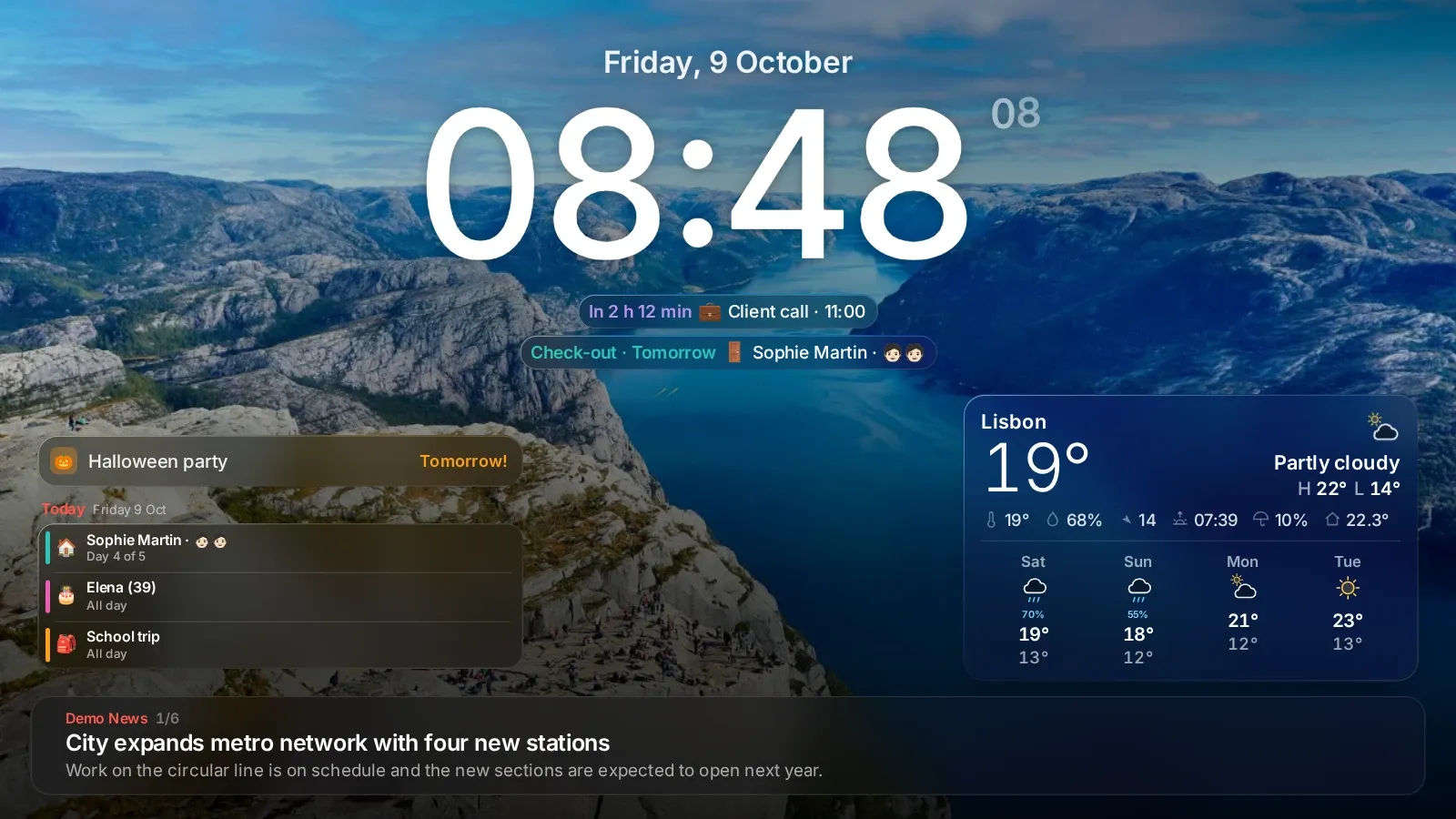
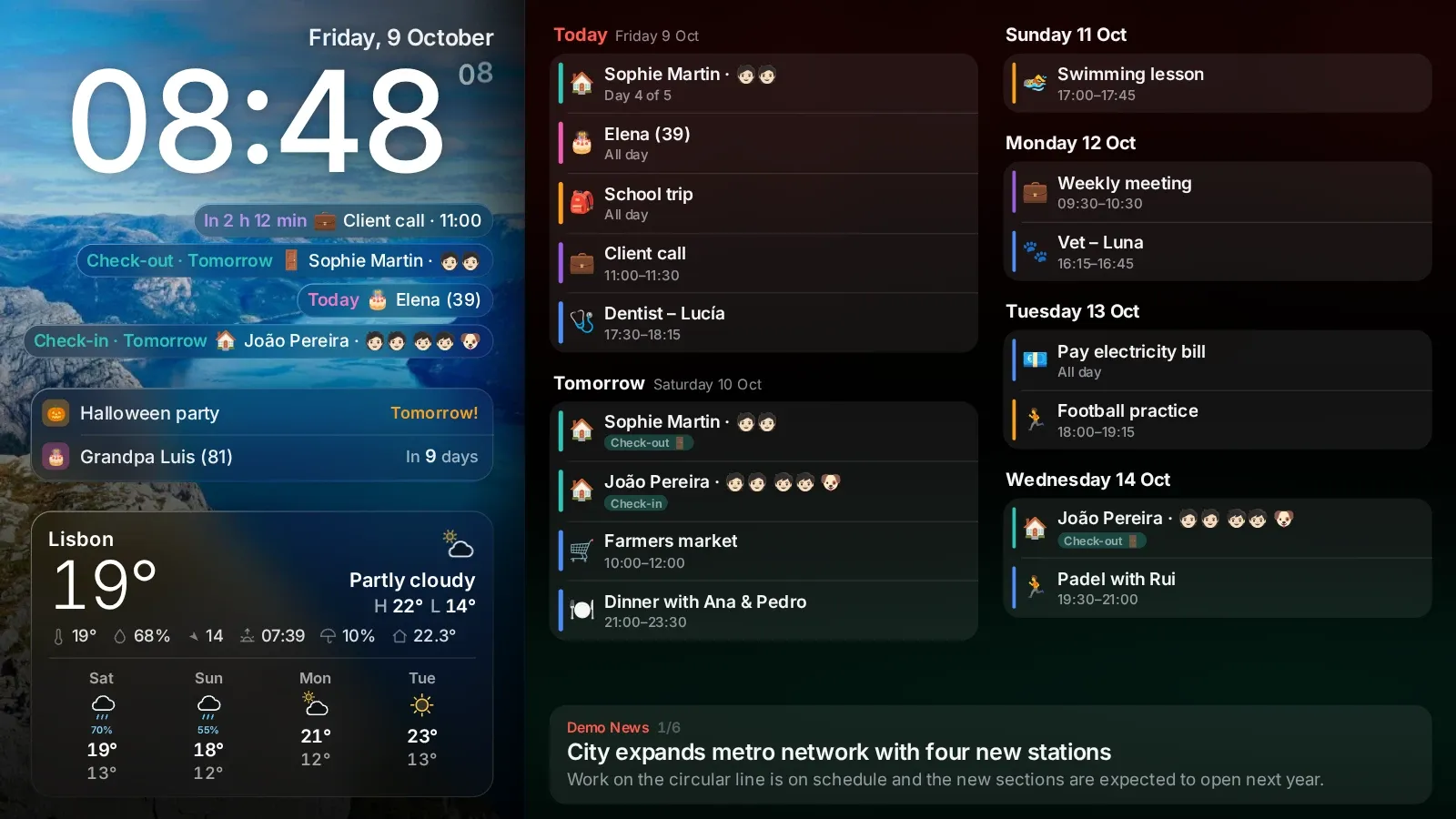
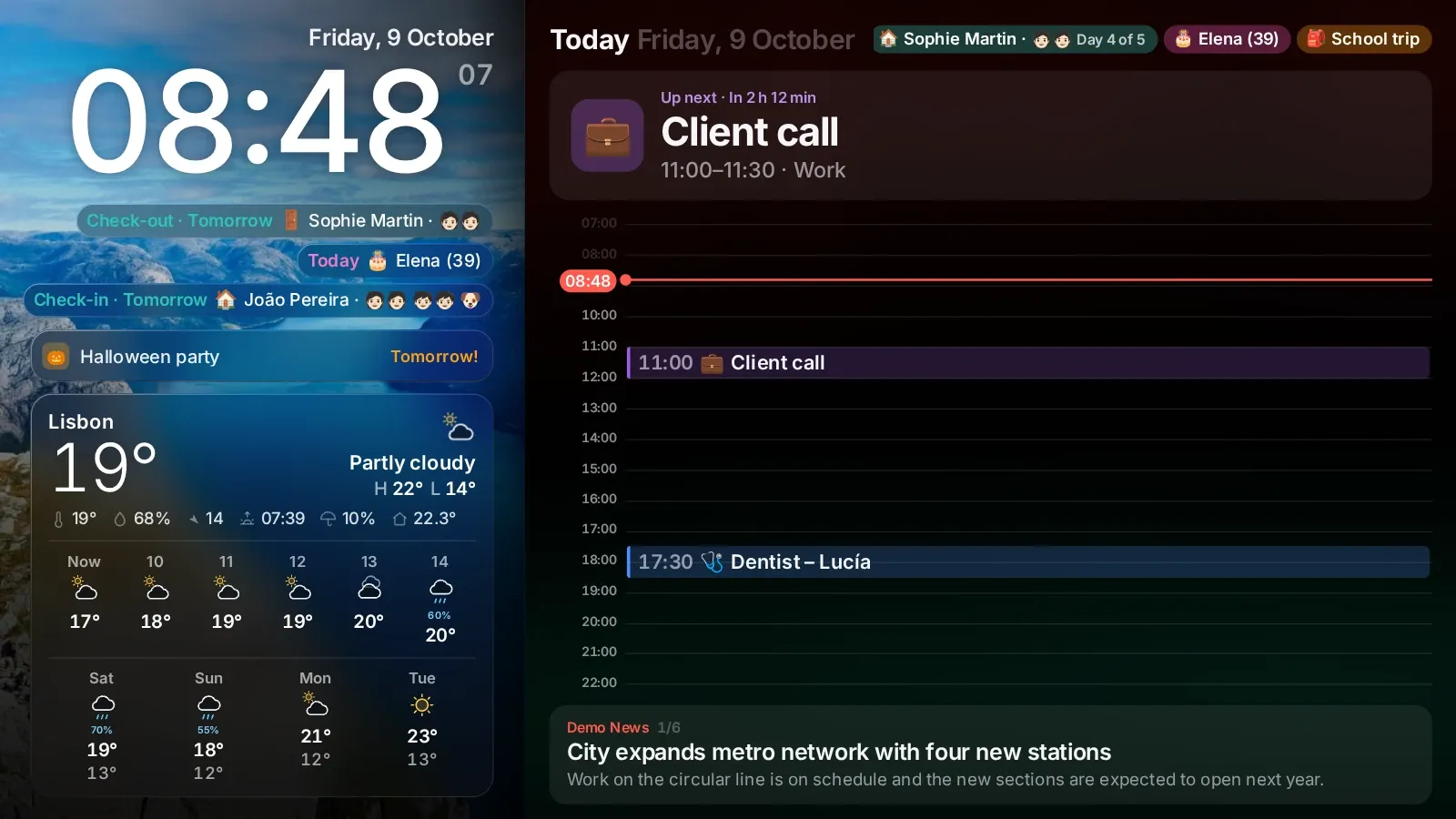
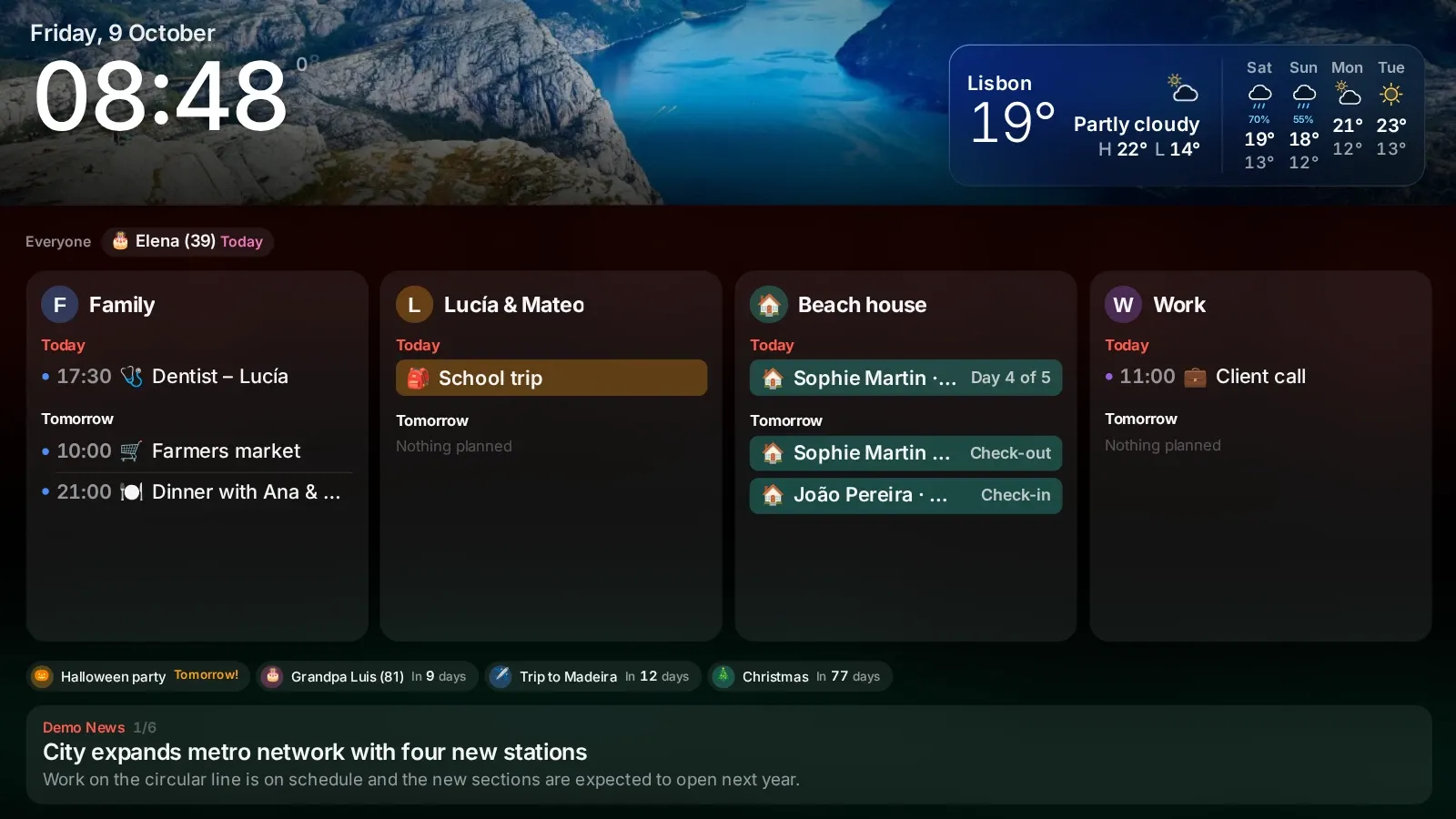
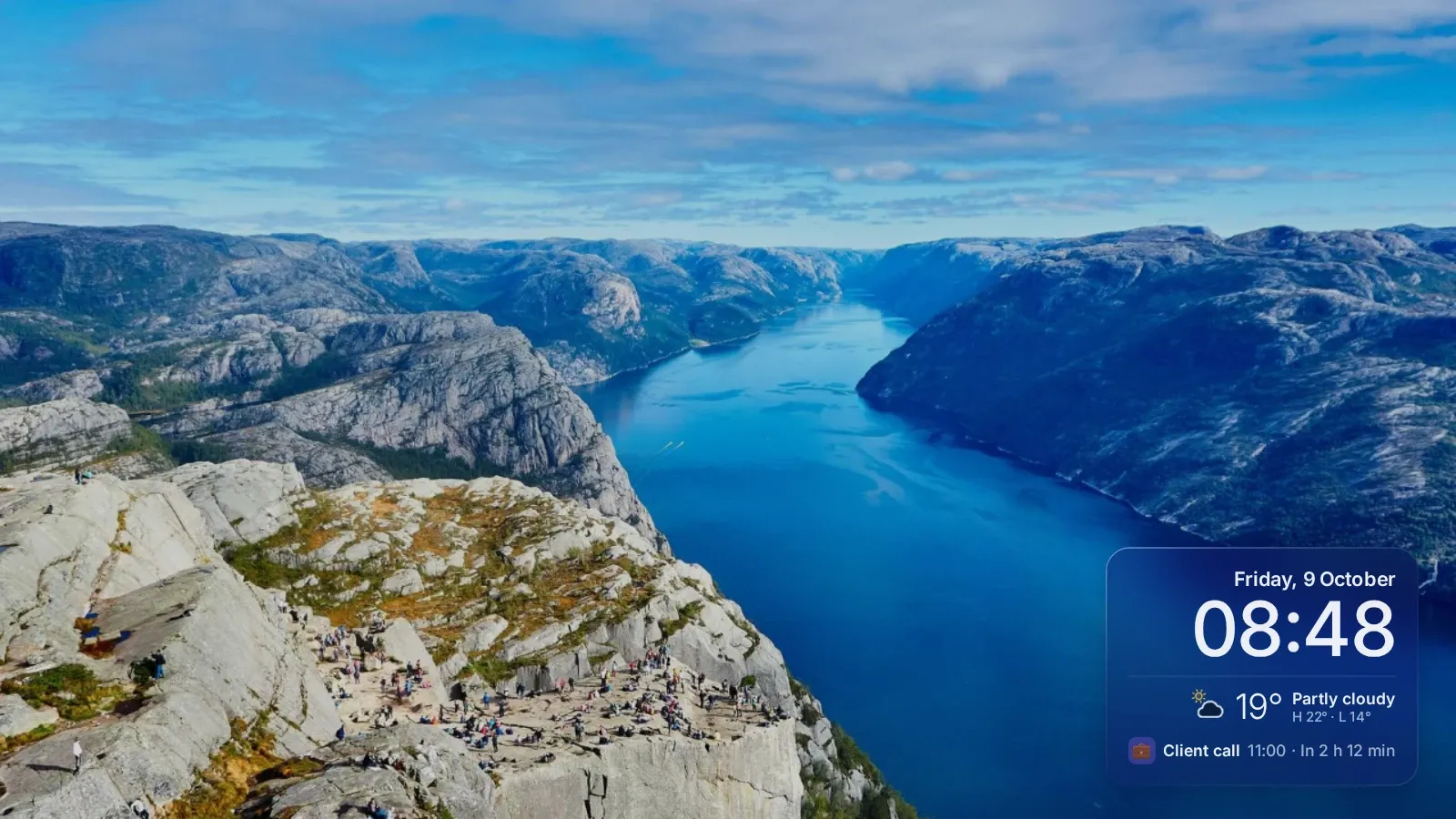
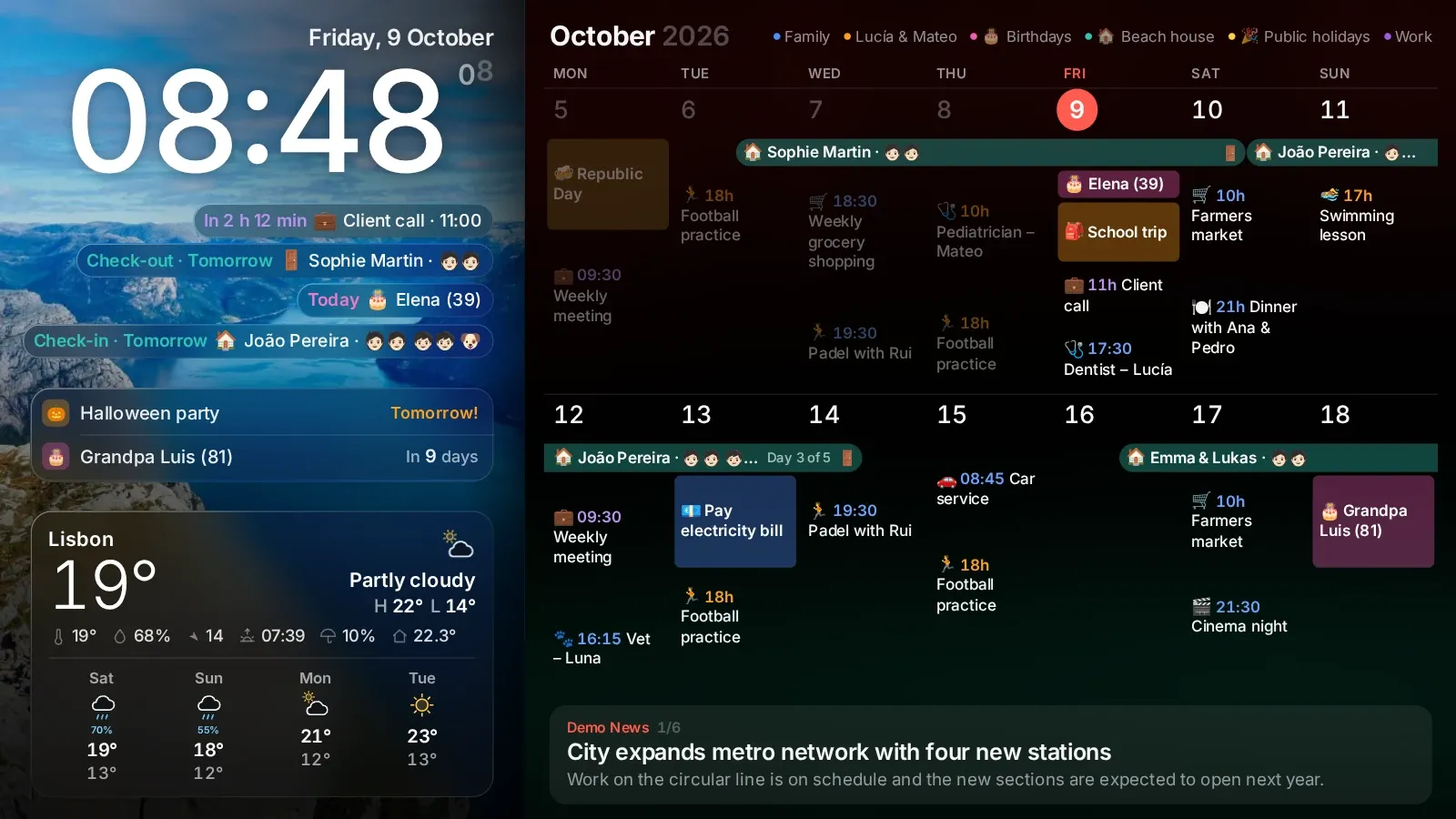
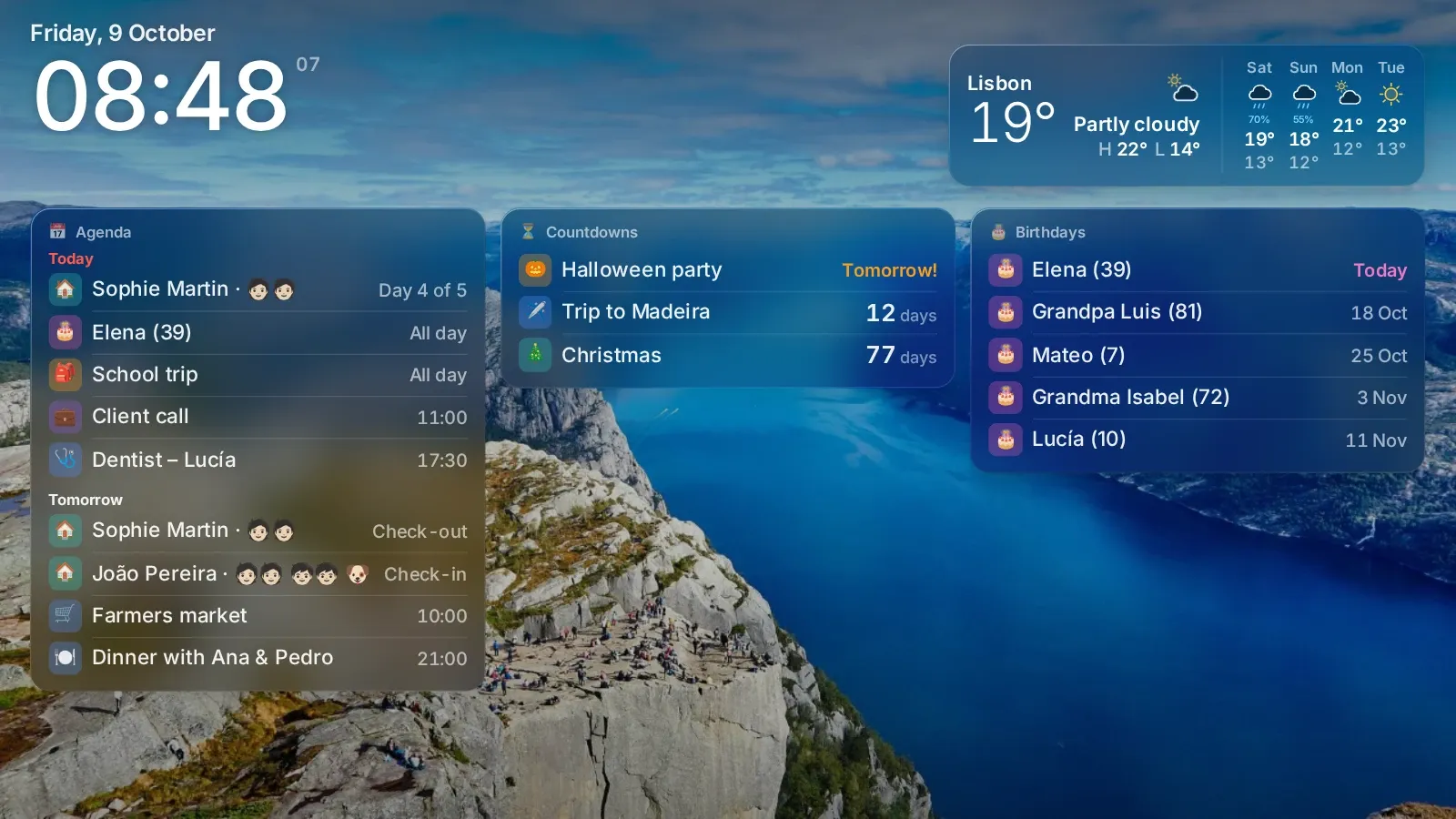
Live demo
This is the same display you install at home, live in your browser with sample data. Turn it upright or switch between Modern and Classic to see how it looks.


Two ways to run it
The same app either way. You choose where it lives.
A Raspberry Pi, a NAS, a mini PC or any Linux machine at home. One command installs it and everything stays on that machine.
We host it for you at app.marcohome.app, entirely on Cloudflare (Workers, D1 and R2), with your data stored in the EU. It uses the same admin as the self-hosted version, and your first screen is ready in a few minutes.
Marco Cloud
Marco Cloud is the same app, hosted by us, and you manage it from the same admin as the self-hosted version. Create an account, add your calendars and open the private link on any TV, tablet or old phone, or pair a TV with a code. It all runs on Cloudflare's infrastructure: Workers, D1 and R2.
Start in a few minutes
Create your free accountI already have an accountFree for families, with no paid plan. We may change or end the service, always with notice first. The terms have the details.
Install
Marco runs on Raspberry Pi OS, Debian, Ubuntu or Docker. Pick the way that fits your setup.
Run this on the machine that will host Marco. It asks what role that machine will play:
curl -fsSL https://marcohome.app/install | bashIt downloads the latest release (or builds it from source if there is none yet), sets up a system service and shows a QR code so you can finish the setup from your phone. After that, the marco command does the chores:
marco statusmarco updatemarco logsmarco urlmarco uninstallStarts Marco on port 3000 with its data in a Docker volume.
git clone https://github.com/mr-reb00t/marco.git cd marco docker compose up -d
docker compose logs marco | grep setupThe log prints a one-time setup link. Open it and replace localhost with your server address, for example http://homeserver.lan:3000.
Already running the server somewhere else? Turn a Raspberry Pi into a screen. In the admin, open Screen, Settings, Private link, and pass that link to the installer:
curl -fsSL https://marcohome.app/install | bash -s -- \
--mode kiosk --url http://homeserver.lan:3000/d/<private-key>It installs Chromium in kiosk mode, turns off screen blanking and hides the cursor. The Pi only shows the screen, so it needs no Node.js and no server of its own.
Already have a git checkout? Run deploy/install.sh --kiosk-only --url <link> from it.
Needs Node.js 20 or newer.
git clone https://github.com/mr-reb00t/marco.git cd marco npm ci npm run build npm start
Marco listens on http://localhost:3000. Use a systemd service or a process manager to keep it running.
First run
A fresh install opens a setup wizard. No default password and no config files to edit.


The admin works on any phone or computer in your home. Changes show up on the screen within a second, without reloading it.
Hardware
Very little. Most families already have the pieces in a drawer.
A Pi 4 or 5 is best. A Pi 3 works with lite mode, which turns off the WebGL effects. Any mini PC or old laptop works too.
Anything with HDMI. Hang it sideways and Marco switches to the portrait layout.
A tablet on the fridge or the browser on a smart TV. A new screen shows a short code: type it on your phone to start that screen.

Privacy
With self-hosted Marco, everything runs on your own hardware. We never see your calendars, your photos or who is in your family.
Questions
Yes. Paste the calendar's secret iCal address, or create a free Google OAuth client and link your account for read-only access with faster updates. iCloud, Outlook and any iCal link work as well.
A Raspberry Pi 4 or 5 with Raspberry Pi OS Bookworm (64-bit) is best. A Pi 3 works with lite mode. Any mini PC, old laptop or Docker host can run the server too.
Only to fetch your calendars, the weather and the news. If the connection or the server drops, the screen keeps showing the last data it had.
English, Spanish and Portuguese, on the screen and in the admin. Each screen can use its own language.
Yes. Marco can show a Home Assistant weather entity and indoor sensors. Home Assistant can send announcements, reload screens or turn night mode on and off through the API.
Nothing. Marco is free and MIT licensed. Marco Cloud is free for families as well.
Yes. Any modern browser can be a screen. Open its private link or pair it with a code.
Run marco update if you used the installer. With Docker, pull the latest code and run docker compose up -d --build. Your data is kept.
Run one command, answer a few questions in the setup wizard, and the family calendar goes up where everyone can see it.
curl -fsSL https://marcohome.app/install | bashEsta página también está en español.
Ver en español